
Why Your AI Bill Is an Engineering Problem: AI FinOps for SaaS Builders
Month one: $42. Month three: $2,417.48. The AI FinOps Gateway field guide for SaaS builders who already shipped — attribution, hard caps, BYO-KEY, no key handover.

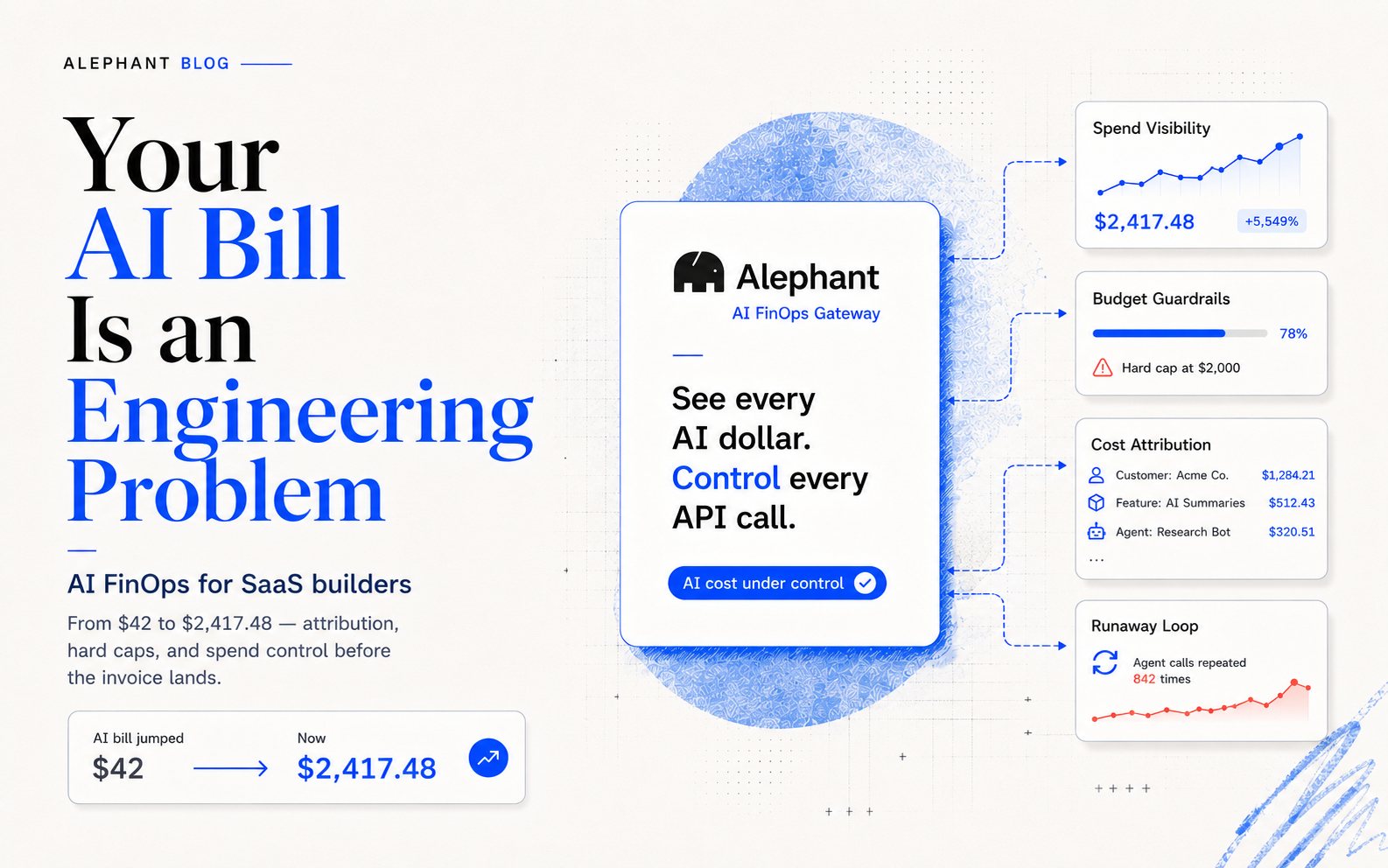
Month one after launch, the OpenAI bill was forty-two dollars.
Month two, it was four hundred and eighty.
Month three, a Stripe email arrives at 7:14 AM on a Tuesday. Subject line: Your payment of $2,417.48 has been processed. You did not ship sixty times more product. You shipped the same product to a few more users. What you also shipped, without knowing, were sixty times more AI calls you cannot explain.
You open the provider dashboard. It shows a number. It does not show which customer, which feature, which runaway agent loop that fired four hundred times in an hour when it should have fired once. The invoice says API usage. That is it.
This post is the field guide I wish I had three months before that bill.
TL;DR. If you are a SaaS builder running AI features in production, the single question your stack cannot currently answer is "was this spend worth it?" That gap has a name: AI FinOps — financial operations for AI infrastructure. The tool shape that closes it is the AI FinOps Gateway: a thin proxy that sits between your app and the AI providers, tags every call, shows the bill in the dimensions you actually care about (customer, feature, model, member), and enforces the budgets before the invoice lands. Alephant is the financial co-pilot for your AI spend, built from day one around that one job.
The Bill That Keeps Surprising You
Three patterns produce the $2,400 month. Every SaaS builder running OpenAI, Anthropic, or Google Gemini in production has hit at least one. Most have hit all three.
Pattern one: the runaway agent loop. An agent is supposed to answer a user question, call a tool, and stop. One edge case — a malformed tool response, a recursion guard that was never wired up — and it calls the tool four hundred times in six minutes. Each call is a GPT-4-class completion. You notice in the logs three days later. The damage is already invoiced.
Pattern two: model overkill on a feature nobody asked to be expensive. A summarisation endpoint that ships with GPT-4o because it was the fastest thing to wire up in the sprint. Volume is ten thousand calls a day. The endpoint's job could be done by a model costing one-fiftieth as much, with no user-visible quality difference. You never revisit it. The line item grows.
Pattern three: one feature scales, the wrong model scales with it. The feature that drives signups is the one you tested with the best model. When it scales from ten users to five thousand, the line graph goes exponential. You cannot cap it without turning the feature off. You cannot downgrade the model without A/B-testing it, which you do not have time to do. So you pay.
The thing these three patterns share is not bad engineering. It is missing feedback. The system runs. The bill arrives. In between, there is no signal. AI FinOps is the name for closing that loop.
Why Your Existing Tools Do Not Solve This
You already own three tools. Each handles a slice. None handles the slice that matters.
Your observability stack (LangSmith, Langfuse, your home-rolled trace viewer) shows you what happened at the request level. It does not show you what it cost, rolled up the dimensions you care about — per customer, per feature, per day, per engineer.
Your provider dashboards (OpenAI usage page, Anthropic console) show you aggregate spend by model. They do not know which of your customers drove it, which feature called what, or whether the spend was justified. They are billing screens, not control panels.
Your finance stack (Stripe, QuickBooks, whatever) sees one line per month called OpenAI. It cannot tell you if that line grew because a paying customer scaled up or because a free-tier user's agent got stuck in a loop.
Stacking them does not produce AI FinOps. Running three dashboards in three browser tabs at month-end is not cost control — it is post-mortem data entry.
What "AI FinOps" Actually Means for a SaaS Team
AI FinOps is the application of financial-operations discipline to AI infrastructure spending: continuous cost attribution, enforcement of budgets at the source, and answering was this spend justified? at the feature and customer level — not at the invoice level. The discipline is adapted from cloud FinOps, the practice that tamed AWS bills across a decade of SaaS growth. AI infrastructure needs the same thing, one generation faster.
Four practices travel across the boundary cleanly:
- Attribution in the dimensions engineers and finance both use. Customer, feature, member, agent, model. Not just "OpenAI spend this week."
- Enforcement before the fact. Alerts at 70% of budget. Rate-limiting at 90%. Hard stops at 100%. Configured per-team, per-project, per-customer. Not a quarterly review meeting.
- Per-unit cost visibility. "It costs us $0.34 to onboard a new user." You cannot run unit economics without this.
- Waste as a first-class signal. Duplicate calls, oversized prompts, models too big for their workload — each one is a named category, not a gut feeling.
The honest version of the pitch: if you are running AI features in production without these four, every month is a gamble. Sometimes the invoice is flat. Sometimes it is $2,400.
The Shape of an AI FinOps Gateway
An AI FinOps Gateway is a thin proxy layer that sits between a SaaS application and one or more AI providers. It intercepts every request, tags it with the attribution dimensions the team needs, enforces budgets and policies before the request reaches the provider, and emits the usage data into a dashboard that answers business questions — not just engineering questions. It replaces three tabs' worth of dashboards with one.
The defining move is that cost intelligence is the primary product, not a feature bolted onto a routing tool. Most gateways in the market route first and surface cost as a side effect. The AI FinOps Gateway inverts that: the cost story is the point; the routing is the infrastructure that makes the cost story possible.
This is the category Alephant ships into. Not a router with a pricing page. A financial co-pilot with a gateway underneath.
What Alephant Gives You on Day One
Everything below is live, configurable, and visible in the product UI.
Guardrails you can actually set
Open the Guardrails tab in the Alephant workspace and you see four controls, each mapped to one of the three $2,400-bill patterns above.
- Budget Control. A monthly spending limit with multi-level alerts at 50%, 75%, 90%, and 100% of the cap. Enforcement strategy is configurable — alert-only, throttle, or reject. This is the Budget Circuit Breaker in the UI, with Alert → Throttle → Kill stages at 70 / 90 / 100% of the configured budget.
- Daily Hard Stop. A fuse on top of the monthly cap. If a single day crosses the day-level threshold, new requests are rejected until the next window. This is what would have caught the runaway agent loop on the day it happened, not three days later in the logs.
- Monthly Spend Alert. A threshold-based email. Always on. Sits below the hard cap as an early-warning signal — "you are on track for a $2,400 month; here is the date it is projected to land" before the month closes.
- Custom Rate Limit. Per-Virtual-Key RPM, RPH, and burst control. The quiet feature that ends runaway loops before they become invoice items.
On the Team tier, Member Budget Caps extend the same logic to per-developer spend limits — so the engineer who is prototyping the new feature cannot accidentally burn the production budget.
Attribution you can actually read
Cost Attribution tags every request across three dimensions: Member, Agent, Department. The dashboard shows dollars per dimension per day. You answer "which customer cost the most this week", "which agent drives 70% of our spend", "which engineer's experiments need a per-member cap" without writing a query.
Keys stay yours
BYO-KEY is the default. Alephant never stores or reuses your provider credentials — they live encrypted, AES-256 at rest, TLS in transit, never logged, never used for Alephant's own traffic. You get the attribution, the budgets, and the dashboards without the control-plane cost of handing a startup your API keys. This is one of the differentiators that matters most to the startup CTO and the compliance-adjacent agency.
Integration that respects your time
The gateway is an OpenAI-compatible endpoint. You keep every line of your application code. You change one line — the base_url — and ship. If a five-minute integration sounds optimistic, it is because you have been burned by five-minute integrations before; Alephant's is the rare one that earns the number.
Free tier that is actually free
Ten thousand requests a month. No credit card. Use it to attribute a week of production traffic and see the cost story your provider dashboard has been hiding.
What is explicitly not being promised here: Alephant is not asking you to move your agents. It is not asking you to rewrite prompts. It is not asking you to pick a new model. It is asking for one base_url change and ten thousand requests.
How a SaaS Team Actually Adopts This
Here is a realistic first week, written for a one-to-three-person team running paid AI features in production.
Day one. Sign up. Create a Workspace. Paste your OpenAI or Anthropic key into the BYO-KEY vault. Generate one Virtual Key for your production environment.
Day two. In one service, change the base_url from the provider's endpoint to the Alephant gateway endpoint. Ship to a canary. Verify traffic flows. Confirm the dashboard lights up.
Day three. Turn on a conservative Monthly Spend Alert and a Custom Rate Limit on the production Virtual Key. This is the fuse. It fires before the budget does.
Day four and five. Tag requests with customer IDs or feature names in the headers. Watch the Cost Attribution dashboard split the monthly number by the dimensions that matter. This is the moment most SaaS builders find out which feature is actually expensive.
Day six and seven. Set a Budget Control cap based on what you now know. Add a Daily Hard Stop. Turn on the Alert → Throttle → Kill enforcement stages.
By end-of-week, you have done what the $2,400 bill was trying to tell you: you have closed the loop. The system runs. The bill is visible in real time. When it misbehaves, it stops itself.
This is what done looks like for the first Alephant install. It is not a migration project. It is the week you stopped flying blind.
FAQ
What is an AI FinOps Gateway?
An AI FinOps Gateway is a proxy layer between a SaaS application and AI model providers that does three jobs: attributes every request to a team, customer, or feature; enforces budget and rate-limit policies before requests reach the provider; and emits the data into a dashboard that answers financial — not just engineering — questions. Unlike a generic AI gateway, cost intelligence is the primary product, not a feature bolted on.
How is this different from a regular AI gateway?
A regular AI gateway routes your requests. An AI FinOps Gateway routes your requests and shows you what each one cost, tagged by the dimensions your business runs on. The distinction is architectural: the cost model is a first-class citizen of the data schema, not an afterthought wired in after the routing layer was built.
Do I have to share my API keys with Alephant?
No. Alephant uses a BYO-KEY model by default. Your keys are encrypted AES-256 at rest, TLS in transit, never logged, and never used for any request other than yours. Keys stay yours, always.
How fast can I integrate?
Typical integration is a single-line change: swap your base_url from the provider's endpoint to the Alephant gateway. The SDK calls, the prompts, the streaming code, the retries — none of that changes. Most SaaS builders are live on a canary the same day.
Will this slow down my API calls?
No — the Alephant gateway is a thin proxy designed for single-digit-millisecond overhead. If your app is latency-sensitive, benchmark it; you will not find a regression that users feel.
What happens when I hit my budget?
You choose. The Budget Circuit Breaker has three enforcement stages: Alert (notify admins at 70% consumed), Throttle (auto-reduce request rate at 90%), and Kill (reject new requests at 100%). You configure which stages fire, and at what thresholds, per budget. You never get a $2,400 bill you did not consent to.
Can I cap spend per engineer or per feature?
Yes. Cost Attribution tags across Member, Agent, and Department. On the Team tier, Member Budget Caps enforce per-developer limits. Virtual Keys let you separate production from development, production from experimentation, and customer from customer.
Is there a free tier?
Yes. Ten thousand requests per month, no credit card. It is enough to attribute a week of real production traffic and see the breakdown the provider dashboard does not give you. Paid tiers start at $29/month (Pro).
Who is this not for?
If you have not yet shipped an AI feature to production, this post is early for you. If you are an enterprise with an RFP process and a procurement team, Alephant will serve you, but the first conversation is different from the developer-led one described here. The reader this post was written for is the SaaS builder who has already shipped and is meeting the bill for the first time.
The Bill Does Not Have to Surprise You Again
Three months ago the problem was writing AI features. This month the problem is accounting for them. Next month the problem — if nothing changes — is explaining a $2,400 line item to a co-founder, an investor, or your own runway spreadsheet.
Alephant is the AI FinOps Gateway built for the SaaS builder who has shipped and is now meeting the bill. One line change. Ten thousand free requests. Keys stay yours. Budgets enforce themselves. The dashboard answers the questions the provider page cannot.
If you want to be among the first teams on the platform when the product app opens, join the waitlist at alephant.io. If you want to talk about any of the three patterns above — the runaway loop, the model overkill, the wrong-model-scaling feature — drop into the Discord. Both are early-access doors. Both are run by the people building this.
Your AI spend should have a financial co-pilot. Now it does.