
OpenAI Spend Limit: How to Cap Your API Bill (2026)
OpenAI quietly turned its monthly budget into a notification, not a cutoff. Here are the five layers that actually cap an OpenAI API bill in 2026, from prepaid credits to a real-time gateway hard stop.

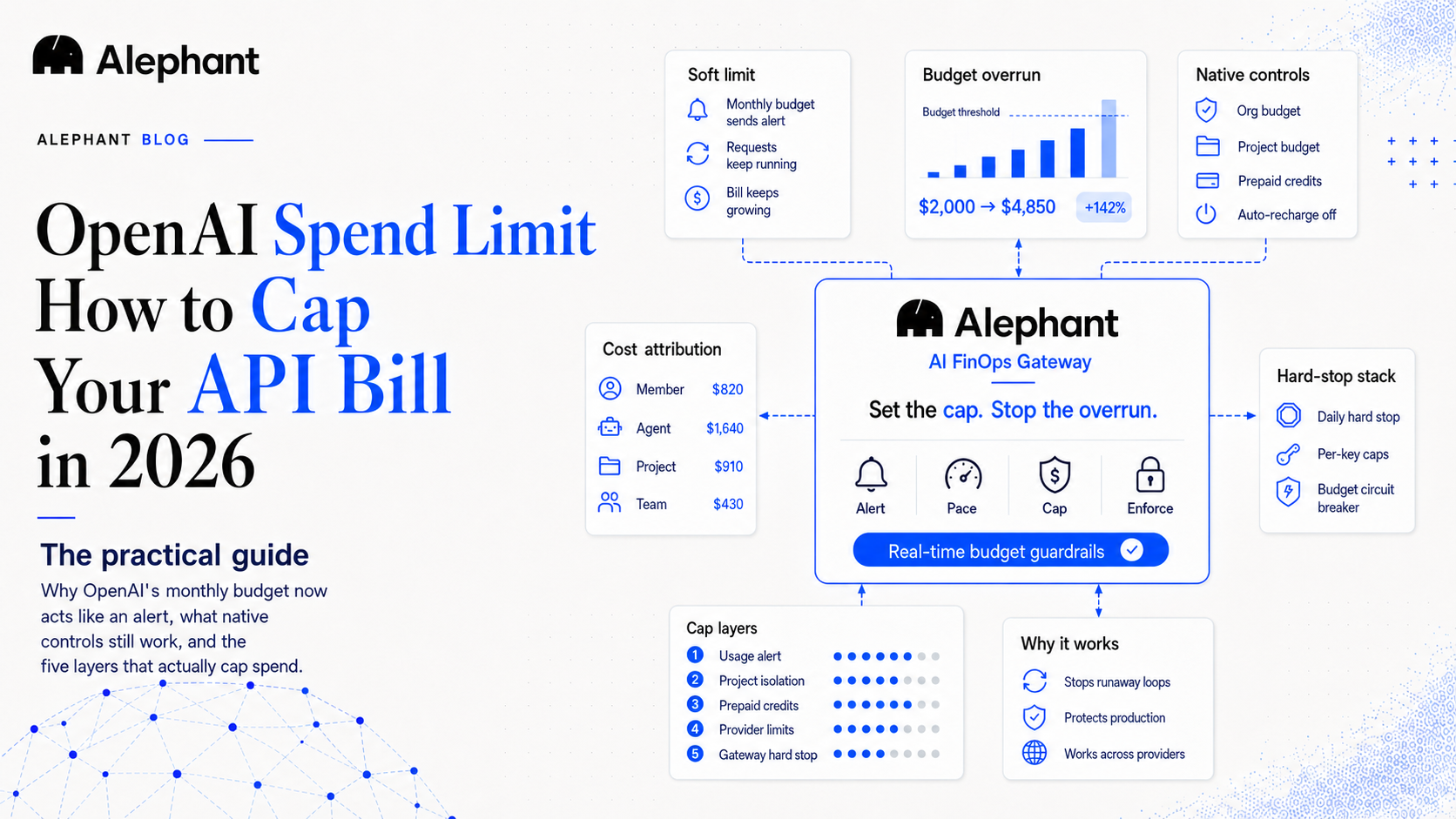
If you set an openai spend limit last year and assumed it would shut off your API when the bill got scary, check it again. As of early 2026, by widespread developer reports, OpenAI's monthly budget threshold no longer hard-stops your requests. It sends an email and a dashboard alert, then keeps serving traffic and keeps billing you. The change rolled out without a prominent announcement (OpenAI's own developer forum has threads titled "Monthly Budget Limit Silently removed"), and the dashboard wording barely changed, so most teams never noticed.
This guide walks through every way to actually cap an OpenAI bill in 2026: what each native setting really does, where the one remaining hard stop lives, and how to put a real-time cutoff in front of the API so a runaway agent loop cannot drain your account before the next billing email arrives.
TL;DR
- OpenAI's monthly budget is now a notification, not a cutoff. Requests keep going through after you hit it.
- The only native hard stop left is prepaid credits with auto-recharge off: you cannot spend credits you do not have. It is all-or-nothing, org-wide, and OpenAI warns there can be a delay before access is cut.
- Per-project budgets limit blast radius but inherit the same soft-notification behavior.
- For a real-time, per-key, daily hard stop across providers, enforce the limit at a gateway in front of the API. Alephant's free tier ships a hard-stop monthly budget, a daily hard stop, and a spend alert, and bring-your-own-key means you keep your own OpenAI key.
Why your OpenAI spend limit stopped protecting you
Here is the behavior change in one line. Previously, when your organization hit its monthly budget, OpenAI suspended API access and requests failed. That was blunt but effective as a last line of defense. Now the same setting triggers an email notification and a dashboard banner while your key keeps working and charges keep accruing.
The naming in the billing UI did not change much, which is exactly why it is easy to miss. You read "limit," you assume "stop," and the platform means "alert." Developers have been asking OpenAI to restore a true hard cap, because the API runs on prepaid billing and a soft alert does nothing to stop an overnight retry storm.
So the honest starting point for 2026: do not rely on the budget threshold alone. Treat it as the first of several layers.
Step 1: Set the OpenAI usage limit (treat it as an alert)
Still set it. It is the cheapest early-warning signal you have.
- Open the OpenAI dashboard and go to Settings, then Billing, then Limits.
- Set a monthly budget that matches what you can actually afford to lose in a bad month, not your optimistic forecast.
- Add a lower notification threshold so you get pinged well before you reach the budget number.
What you get: an email and a dashboard alert when spend crosses each line. What you do not get: any interruption of service. If nobody is awake to read the 3 a.m. alert, the bill keeps climbing. This is the layer that tells you something is wrong, not the layer that fixes it.
Step 2: Use per-project budgets to contain the blast radius
OpenAI Projects let you split one organization into separate budgets, keys, and model permissions. A runaway script in your staging project then cannot consume the credits your production app depends on.
- In the dashboard, create a Project per app, environment, or team.
- Give each project its own API keys and its own budget.
- Restrict the models a project can call, so a test harness cannot accidentally fire the most expensive model on every request.
Per-project budgets are genuinely useful for isolation and attribution. The catch: they inherit the same notification-only behavior as the org budget. They reduce how much one project can damage, but they still do not force a stop on their own.
Step 3: Control prepaid credits and turn off auto-recharge
This is the one native hard stop that still works, and it works for a simple reason: you cannot spend credits you do not have.
- Move the account to prepaid billing if it is not already.
- Buy a fixed amount of credits for the period.
- Turn auto-recharge off. Auto-recharge silently refills your balance when it runs low, which quietly defeats the entire point of a prepaid cap.
With auto-recharge off, once the credits are gone, new requests start returning a billing-quota error. Two honest caveats from OpenAI's own documentation. First, there can be a delay before access is actually cut after the balance hits zero, so it is not an instant guillotine. Second, it is all-or-nothing and org-wide: the cap protects your wallet but it also takes your production app down the moment credits run out, with no daily pacing, no per-key limit, and no per-member cap. You trade bill shock for an outage.
That trade is the core limitation of every native control. None of them can say "stop this one key, today, at $40, but keep everything else running."
Step 4: Add Anthropic workspace spend limits if you run more than one provider
Most teams are not OpenAI-only. If you also call Claude, set the matching control on Anthropic's side so one provider's limit does not give you false confidence about the other.
- In the Anthropic Console, open the Workspace you want to cap.
- Click the Limits tab, then Change Limit.
- Set a monthly spend limit (it must be lower than your organization limit) and use Add notification for threshold alerts.
Anthropic's workspace limit is a genuine per-workspace monthly cap, which is stronger than OpenAI's softened threshold. But you are now maintaining two separate consoles, two limit models, and two alert inboxes, with no shared view of total spend. Multiply that by OpenAI, Anthropic, and every other provider in your stack and the per-provider approach stops scaling.
Step 5: Put a real-time hard stop in front of every provider
The fix for all of the gaps above is to stop relying on each provider's billing page and enforce the limit at a single point your requests pass through: an AI FinOps gateway. A gateway sees every request before it reaches the provider, so it can apply a budget rule in real time and reject the call when the rule trips. Several gateways do this. What matters is the granularity and what you can see afterward.
With the Alephant Gateway in front of your providers, the controls that close the native gaps are:
- Hard-stop monthly budget. A real cutoff, not a notification. This is the layer OpenAI softened, restored at the gateway.
- Daily hard stop. A daily ceiling so an overnight loop cannot burn a month of budget in one night. No native provider control gives you per-day pacing.
- Budget circuit breaker. Escalating enforcement as spend climbs toward the cap, so you throttle before you hard-stop.
- Per-key and per-member caps. Because requests flow through a virtual key, you can cap one key, one agent, or one teammate without taking the whole app down. This is the "stop this one key at $40, keep the rest running" control that no native setting offers.
- Custom rate limits and policy rules. Rate ceilings and policy guards that catch the runaway pattern (agent thrashing) before it shows up on a bill.
Because the gateway is bring-your-own-key, you keep your own OpenAI and Anthropic keys. Alephant never stores or reuses them; it enforces your rules on the way through.
Native vs gateway: what each spend limit actually enforces
| Control | Where it lives | Real cutoff? | Granularity | Real-time? |
|---|---|---|---|---|
| OpenAI monthly budget | OpenAI billing | No (notification only) | Org-wide | Alert only |
| OpenAI per-project budget | OpenAI Projects | No (notification only) | Per project | Alert only |
| OpenAI prepaid credits, auto-recharge off | OpenAI billing | Yes, with possible delay | Org-wide, all-or-nothing | Near real-time |
| Anthropic workspace limit | Anthropic Console | Yes | Per workspace | Per request |
| Gateway hard-stop budget + daily hard stop | Alephant Gateway | Yes | Org, key, member, day | Real-time |
The pattern is clear. Native controls are either soft, or hard but blunt and single-provider. A gateway is where you get a cutoff that is real, granular, and consistent across every provider at once.
Where Alephant fits
Alephant is an AI FinOps gateway: a bring-your-own-key proxy that enforces your spend rules in real time and then shows you, per member and per agent, exactly where the money went. Every AI gateway routes your requests. Alephant attributes the spend and the savings back to the workload that caused them.
Honest gating. The budget-safety controls are on the free tier: Set Monthly Budget as a hard stop, a Daily Hard Stop, and a Monthly Spend Alert, with an always-on basic rate cap. The multi-level Budget Control ladder (50/75/90/100 percent escalation with an enforcement strategy) and the staged Alert, Throttle, Kill budget circuit breaker are Pro features and up, and per-member budget caps are Team and up. The caching and routing cost levers are separate from the budget guardrails. The same enforcement runs in Alephant Cloud and in the open-source self-hosted build (GPL v3).
For the savings side of the story rather than the safety side, see How Model Routing Cuts AI Costs by 30 to 70%. For the category, see What Is AI FinOps?.
FAQ
Can you set a hard spending limit on the OpenAI API in 2026?
Not through the monthly budget setting anymore. As of early 2026 that threshold only sends notifications while requests keep running. The one native hard stop is prepaid credits with auto-recharge turned off, but it is org-wide and OpenAI notes access cutoff can lag. For a real-time, per-key cutoff, enforce the limit at a gateway in front of the API.
Why does my OpenAI spend limit not stop my API requests?
Because OpenAI changed the monthly budget from a hard cap to a notification. When you cross it you get an email and a dashboard alert, but your key keeps working and charges keep accruing. The wording in the UI barely changed, so the new behavior is easy to miss.
How do I stop OpenAI from charging me after a budget?
Switch to prepaid billing, buy a fixed credit amount, and turn off auto-recharge so the balance cannot silently refill. Be aware it stops everything at once and can lag slightly. For per-key or daily limits that do not take the whole app down, put a gateway with a hard-stop budget in front of the provider.
Does OpenAI have a daily spend limit?
No. OpenAI's native budget controls are monthly and notification-based, with no per-day ceiling. To pace spend by day, use a gateway-level daily hard stop so an overnight retry loop cannot burn a full month of budget in one night.
How do I cap AI spend across both OpenAI and Anthropic?
Set each provider's native limit (OpenAI billing, Anthropic workspace limit), then route both through one gateway and set a single hard-stop budget there. The gateway gives you one cutoff and one spend view across providers instead of separate consoles and separate alert inboxes.
Is a gateway safe if it sees my API keys?
With a bring-your-own-key gateway like Alephant you keep your own provider keys; the gateway uses them to forward requests and never stores or reuses them. You can also self-host the open-source build so keys and traffic stay in your own infrastructure.
Cap the bill before the next alert arrives
Set the OpenAI notification so you see trouble coming. Use prepaid credits with auto-recharge off as a crude backstop. Then put a real cutoff in front of every provider so a single key, on a single day, cannot drain the account. Route through the Alephant Gateway, keep your keys with bring-your-own-key, and set the hard stop OpenAI took away.